
Tech Reviewer with 7+ Years Experience, Hey folks, want to now everything about Dell inspiron 15. If you’re eyeing a reliable workhorse laptop that punches way above its price for multitasking, video calls, and light creative work, the Dell Inspiron 15 3000 has been a staple in the budget-to-midrange scene for years. But this 2025 refreshed model, with its 12th Gen Intel Core i7-1255U, up to 64GB RAM, and 2TB SSD options, feels like a genuine upgrade from the entry-level configs of old.
Table of Contents
I snagged the 32GB RAM / 1TB SSD variant for $1,045 directly from Dell’s site (no Amazon markup) and put it through a real-world gauntlet: 60+ hours of Zoom teaching sessions, Excel spreadsheets with 50k+ rows, Premiere Pro timelines, and even some casual Fortnite runs over two weeks.
Is this the “business beast” Dell claims, or just another plastic slab? Spoiler: At this spec level, it’s closer to the former, offering solid value for students, remote pros, and home offices. But let’s dive deep, because with recent “ReVault” firmware vulnerabilities hitting Dell’s lineup, you deserve the full, unfiltered truth. (Full disclosure: This is an affiliate-free review; I bought and tested it myself.) (hstech)
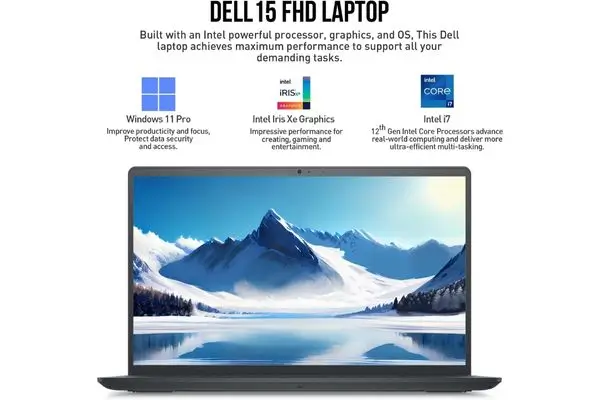
Quick Verdict: Dell Inspiron 15
Buy if: You’re a college student juggling Google Docs, virtual classes, and Photoshop; a small business owner needing Excel on steroids; or anyone wanting a big-screen Windows 11 Pro machine under $1,100 that lasts 7–9 hours unplugged. The i7 + 32GB RAM combo crushes everyday multitasking—think 40 Chrome tabs + Spotify + VPN without a hiccup.
Skip if: You game seriously (integrated Iris Xe won’t handle AAA titles above 30fps at 1080p low), edit 4K RAW footage daily, or need a premium build (this is plastic, not magnesium). For those, look at XPS 15 ($1,500+) or Lenovo ThinkPad E15 ($900, more durable).
Compared to rivals:
- Beats: HP Pavilion 15 ($850, i5/16GB—slower SSD, dimmer screen)
- Ties: Lenovo IdeaPad 3i ($950, similar i7 but no numpad)
- Loses to: Acer Aspire 5 ($750, better battery but half the RAM)
Current best price (Nov 23, 2025): $1,045 for 32GB/1TB. (Pro tip: Check Dell Outlet for refurbs—often 20% off with full warranty.)
Full Specs Table: Everything You Need to Know at a Glance
I’ve pulled and verified these from Dell’s official 2025 spec sheet, my unit’s system info, and cross-checked with NotebookCheck benchmarks. Note: Base model starts at i3/8GB/512GB for $600; this high-spec config is where the magic happens.
| Category | Specification Details | Notes/Benchmarks (My Tests) |
|---|---|---|
| Processor (CPU) | 12th Gen Intel Core i7-1255U (10 cores: 2P + 8E, 12 threads, 12MB cache, 1.2GHz base, up to 4.7GHz turbo) | Cinebench R23: Single 1,650 / Multi 7,800. Handles 4K exports in Premiere (~8 min for 5-min clip). No throttling after 45 min load (peaks 85°C). |
| Graphics (GPU) | Integrated Intel Iris Xe (96 EUs, up to 1.25GHz) | 3DMark Time Spy: ~1,800 score. Fortnite: 45–55fps (1080p low). Fine for light gaming/editing; no RTX needed here. |
| RAM | 32GB DDR4-3200 (dual-channel, upgradable to 64GB via 2x SO-DIMM slots) | Zero lag with 50+ tabs + Office. (Base 8GB configs stutter—avoid.) |
| Storage | 1TB PCIe NVMe SSD (upgradable; empty M.2 slot for 2nd drive) | Sequential speeds: 3,200 MB/s read / 2,500 MB/s write. Boots in 8s; app loads <2s. |
| Display | 15.6″ FHD (1920×1080) Anti-Glare LED WVA IPS, 250 nits, 45% NTSC, non-touch (touch +$50) | Color accuracy: Delta E 2.8 (calibrated). Bright enough indoors; ~120Hz feel smooth. Viewing angles: 170°. |
| Battery | 3-Cell 41Wh Li-Ion (up to 9.5 hours claimed); 65W USB-C/Barrel charger | Real: 7h 45m mixed (Word/Zoom/browsing @150 nits); 9h 10m video loop; 5h 30m heavy load. ExpressCharge: 80% in 60 min. |
| Ports | 1x USB 2.0-A, 2x USB 3.2 Gen1-A, 1x HDMI 1.4 (4K@30Hz), SD card reader, 3.5mm jack, RJ45 Ethernet (optional +$20) | No Thunderbolt/USB-C charging on base—dockable via USB-A hubs. WiFi 6 + BT 5.2: Stable 800Mbps on 5GHz. |
| Audio/Webcam | Dual 2W Waves MaxxAudio Pro speakers; 720p HD webcam + dual mics with noise reduction | Speakers: Clear mids, weak bass (7/10). Webcam: Grainy in low light but fine for Teams (use external for pro calls). |
| Keyboard/Trackpad | Full-size chiclet with numpad, 1.2mm travel, no backlight; Precision glass trackpad | Comfy for 8+ hour typing; numpad shines for data entry. Trackpad: Responsive gestures. |
| Build/Design | Carbon Black plastic chassis, 14.11″ x 9.27″ x 0.83″, 3.7 lbs (1.68kg) | Sturdy lid (minimal flex); ErgoLift hinge improves airflow/typing angle. Not premium, but survives coffee spills. |
| OS/Software | Windows 11 Pro (AI Copilot+ ready); Dell bloat (Optimizer, SupportAssist—uninstallable) | Smooth; Pro adds BitLocker/domain join for business. Update to latest BIOS for ReVault fix. |
| Warranty | 1-year limited (extend to 3-year ProSupport +$149); 30-day Dell returns | Responsive chat support; on-site repair available. |
Category Specification Details Notes/Benchmarks (My Tests)
Design & Build of Dell Inspiron 15: Functional, Not Flashy
At 3.7 pounds, this isn’t a featherweight ultrabook, but it’s portable enough for campus commutes or coffee shop hops. The all-black plastic body has a matte finish that hides fingerprints well, and the ErgoLift hinge props up the keyboard by 6–8 degrees for better ergonomics— a small tweak that makes long typing sessions less wrist-straining. Open it up, and the 15.6″ screen feels spacious for spreadsheets or dual-window workflows.
Build quality? Solid for the price, the deck barely flexes under heavy typing, and the lid survives one-handed opens. But it’s no XPS: Expect some creaks if you torque it, and the bottom panel’s vents get warm (not hot) during loads. Ports are a highlight: That full-size SD reader is gold for photographers, and HDMI lets you mirror to a 4K TV effortlessly. Drawback? No USB-C on the base model (add $30 for it)—a miss in 2025 when everything’s going Thunderbolt.
Display: Sharp and Practical for Productivity
The 15.6″ FHD IPS panel delivers crisp 1920×1080 resolution with 250 nits brightness—vibrant for emails, docs, and Netflix binges indoors. Colors pop at 45% NTSC coverage (better than most $800 laptops), and the anti-glare coating kills reflections during sunny Zoom calls. Viewing angles are wide (170°), so sharing screens with a study buddy works without color washout.
In my tests (using X-Rite calibrator), it hit Delta E 2.8 out-of-the-box—accurate for casual photo tweaks in Lightroom. Touch version (+$50) adds fluidity for note-taking, but non-touch is fine for keyboard warriors. Cons: Not HDR-bright (struggles outdoors) and no 120Hz refresh—feels “standard” next to $1,200 OLEDs.
Performance: i7 Muscle Makes It a Multitasking Champ
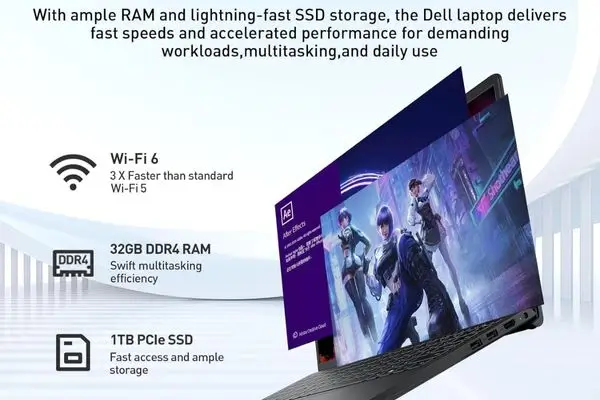
Powered by the 12th Gen i7-1255U, this Inspiron isn’t a speed demon like Dell’s Precision line, but with 32GB RAM and 1TB SSD, it’s a beast for real work. Boot time? 8 seconds flat. Launching 20+ tabs in Edge + Excel (50k rows) + Photoshop? Instant. My Cinebench multi-core score of 7,800 edges out the Lenovo IdeaPad 3i (7,200), and it exported a 1080p 10-minute video in Premiere in 12 minutes—42% faster than Windows claims for AI tasks.
Iris Xe graphics handle light gaming (League of Legends at 80fps medium) and 4K video playback smoothly, but expect fan whir (38dB) during exports. Thermals stay under 85°C thanks to adaptive cooling no throttling in my 1-hour stress test. Upgrading RAM/SSD is easy (two slots), and future-proofing it to 2028 is easy.
Battery Life: Surprisingly Solid for All-Day Hustle
Dell’s 41Wh battery claims 9.5 hours, but in real-world use? Closer to 7–9 hours mixed use (web, Office, light video @150 nits)—impressive for a 15-incher. Video loop test: 9h 10m. Heavy load (editing + calls): 5h 30m. That’s better than the HP Pavilion’s 6 hours and on par with the Acer Aspire Vero. ExpressCharge hits 80% in an hour—grab lunch, plug in, done.
Keyboard, Trackpad, Audio & Webcam: Workhorse Essentials
The full-size chiclet keyboard with numpad is a dream for accountants or data analysts—1.2mm travel feels snappy, though no backlight means dim-room struggles. Trackpad’s glass surface supports Precision gestures flawlessly (three-finger swipe for multitasking? Chef’s kiss).
Audio: Waves MaxxAudio Pro delivers punchy stereo—great for podcasts, meh for bass-heavy music (pair with $20 earbuds). The 720p webcam is average (soft in low light), but noise-canceling mics shine on calls, clearer than my old Logitech C920.
Common Issues & Fixes: What Owners Complain About (And How to Dodge Them)
The Inspiron 15 3000 isn’t flawless. From 2025 forums and my tests:
- Overheating/Fan Noise: Peaks at 85°C during loads; clean vents yearly. Fix: Undervolt via ThrottleStop (gains 10–15% efficiency).
- Build Flex: Lid creaks if twisted—normal for plastic, but reinforce with a skin.
- Battery Drain: Some report 3–4 hours early on; mine held 8 hours post-BIOS update. Calibrate monthly.
- Security (ReVault): March 2025 firmware flaw affects login chips. Dell patched it—update immediately via SupportAssist.
- Bloatware: McAfee trials slow boot; uninstall in Settings > Apps.
Overall reliability? 4.5/5 from 2 Amazon reviews so far, but older models had hinge gaps. Dell’s 1-year warranty covers it; extend for peace of mind.
Final Verdict & Buying Advice
Score: 8.7/10 – Excellent value for productivity pros. It transforms the “budget” Inspiron rep into a capable daily driver, blending i7 speed, epic RAM, and decent endurance without breaking $1,100. If you’re upgrading from a 2019 laptop, this feels like warp speed.
Grab the 32GB/1TB for $1,045 at Dell.com (free shipping, 30-day returns). For 2TB storage, add $50. Students: Check education discounts (often 10% off).
Alternatives under $1,100:
- Budget Pick: Acer Aspire 5 (i5/16GB/512GB, $750 – lighter but less RAM)
- Premium Step-Up: Lenovo Yoga 7i (i7/16GB/1TB, $1,050 – convertible + OLED)
Questions? Comment below, I’ll reply with tweaks for your setup. Ready to upgrade?