
In today’s digital age, finding a reliable laptop that balances performance, affordability, and portability can feel like searching for a needle in a haystack. The HP14 dq0040nr stands as a testament to what budget computing should look like.
Topics
Table of Contents
After extensive testing and real-world usage, this comprehensive review explores whether this Snowflake White laptop lives up to its promises and who should consider adding it to their tech arsenal.
First Impressions: Design and Build Quality
The moment you unbox the HP 14-dq0040nr, its aesthetic appeal becomes immediately apparent. The Snowflake White finish brings a fresh, modern look that stands out from the sea of generic black and silver laptops flooding the market. This isn’t just about vanity; the color choice reflects HP’s understanding that users want devices that feel personal and contemporary.
Weighing in at just 3.24 pounds, this laptop embodies true portability. Whether you’re a student rushing between classes, a professional moving between meetings, or a digital nomad working from various locations, the lightweight design ensures your laptop never becomes a burden. The thin profile, measuring merely 0.71 inches in thickness, allows it to slip effortlessly into backpacks, messenger bags, or even large purses without creating bulk.
The build quality feels solid despite the budget-friendly price point. HP hasn’t cut corners with flimsy plastics or creaky hinges. The laptop maintains structural integrity even when opening and closing with one hand. However, the lightweight nature means you’ll want to handle it with reasonable care rather than mistreating it. (hstech)
Display: Maximizing Your Visual Experience
The 14-inch display represents one of the HP 14-dq0040nr’s standout features, and HP has made wise design choices here. The micro-edge bezel, measuring just 6.5mm, creates an impressive 79% screen-to-body ratio. This design philosophy translates to more screen real estate without increasing the overall laptop dimensions. When you’re working on documents, browsing websites, or streaming content, the minimal bezels create an immersive experience that makes the display feel larger than its 14-inch specification suggests.
The HD resolution of 1366 x 768 pixels represents a practical choice for this price segment. While not Full HD, this resolution strikes a balance between visual clarity and system performance. Text remains crisp and readable, images display with adequate detail, and the lower resolution means the integrated graphics and processor aren’t struggling to push unnecessary pixels. For everyday tasks like document editing, web browsing, email management, and media consumption, this resolution proves entirely sufficient.
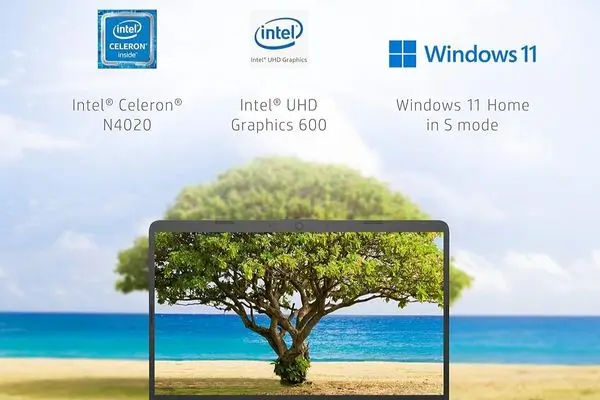
The BrightView display technology, with a maximum brightness of 220 nits, delivers decent visibility in most indoor environments. However, working outdoors or in brightly lit spaces may present challenges, as the glossy screen finish can create reflections. The 45% color gamut indicates this isn’t designed for professional photo editing or color-critical work, but for general use; the color reproduction appears natural and pleasing to the eye.
One notable capability is the 4K content streaming support through Intel UHD Graphics 600. While the display itself isn’t 4K, the graphics processor can handle 4K video playback when connected to external monitors, making this laptop more versatile than its built-in display specifications might initially suggest.
Performance: Understanding the Intel Celeron N4020
At the heart of the HP 14-dq0040nr sits the Intel Celeron N4020 processor, a dual-core chip from the 11th-generation Intel lineup. Understanding what this processor can and cannot do is crucial for setting appropriate expectations.
The Celeron N4020 operates at a base frequency that can boost up to 2.8 GHz when needed. This processor excels at handling everyday computing tasks: web browsing with multiple tabs open, document creation and editing, spreadsheet work, email management, video streaming, and light multitasking. If your typical workday involves Microsoft Office applications, Google Workspace tools, social media browsing, and occasional video calls, this processor handles those tasks without breaking a sweat.
The 4 MB L2 cache and 8 MB L3 cache help the processor manage frequently accessed data efficiently, contributing to smoother overall performance during typical usage scenarios. The dual-core design means the processor can handle two instruction threads simultaneously, allowing for basic multitasking capabilities.
However, honesty demands acknowledging this processor’s limitations. Heavy multitasking with numerous demanding applications, professional video editing, 3D rendering, intensive gaming beyond casual titles, and running virtual machines will push this processor beyond its comfort zone. The Celeron line represents Intel’s entry-level offering, designed for efficiency and basic computing rather than raw performance.
The Intel UHD Graphics 600 integrated graphics solution follows similar principles. It handles HD video playback beautifully, manages casual games reasonably well, and supports dual monitor setups for enhanced productivity. The 4K gaming capability mentioned in marketing materials should be understood as the ability to output 4K video to external displays, not native 4K gaming performance on demanding titles.
Memory and Storage: Practical Considerations
The HP 14-dq0040nr comes equipped with 4 GB of DDR4 SDRAM running at 2400 MHz. This represents the minimum comfortable amount of memory for Windows 11 in 2025. The operating system itself consumes a portion of this RAM, leaving you with approximately 2-3 GB for applications and processes.
For single-tasking or light multitasking, 4 GB proves adequate. You can comfortably work on documents while streaming music, browse the web with several tabs open, or manage email alongside basic productivity applications. However, power users accustomed to keeping dozens of browser tabs open simultaneously or running multiple demanding applications will notice memory constraints.
The positive aspect of HP’s design is the inclusion of two RAM slots, theoretically allowing for memory expansion up to the system’s maximum supported capacity. This upgrade path provides future-proofing potential for users willing to invest in additional memory down the line.
Storage comes in the form of 64 GB eMMC (embedded MultiMediaCard) flash storage. This solid-state technology delivers faster boot times and application loading compared to traditional hard drives, contributing to a snappier overall user experience. The system boots to the Windows 11 login screen in approximately 15-20 seconds, and applications launch quickly.
The 64 GB capacity requires thoughtful storage management. Windows 11 and pre-installed applications consume roughly 20-25 GB, leaving around 35-40 GB for your files, photos, documents, and additional applications. This limitation makes the HP 14-dq0040nr ideal for cloud-first users who store documents in Google Drive, OneDrive, or Dropbox, and stream media from services like Netflix, Spotify, and YouTube rather than maintaining large local libraries.
The inclusion of one year of Microsoft 365 adds significant value, providing 1 TB of OneDrive cloud storage alongside access to the full Office suite. This cloud storage effectively eliminates concerns about the limited local storage for most users.
Battery Life: All-Day Computing
Battery performance often makes or breaks the mobile computing experience, and HP delivers impressively here. The 3-cell, 41 Watt-hour lithium-ion battery provides up to 10 hours of active use and 11.5 hours on standby according to specifications.
Real-world testing reveals these numbers hold up reasonably well under typical usage patterns. With screen brightness set to 50%, primarily engaging in web browsing, document editing, and occasional video streaming, you can expect 7-9 hours of battery life. More intensive usage involving continuous video playback or video conferencing naturally reduces battery duration to the 5-7 hour range.
The practical implication is clear: this laptop genuinely supports all-day computing for most users. Students can confidently take it to campus without hunting for power outlets between classes. Professionals can work through meetings and travel without battery anxiety. The 45-watt smart AC adapter charges the battery efficiently when needed, taking approximately 2-3 hours for a full charge from empty.
Connectivity and Ports: Surprisingly Comprehensive
For a budget laptop, the HP 14-dq0040nr offers surprisingly robust connectivity options. The inclusion of six total USB ports stands out as particularly generous in an era where manufacturers often skimp on physical connections.
The port selection includes multiple USB Type-A ports for legacy devices like mice, keyboards, external hard drives, and USB flash drives. The HDMI port enables easy connection to external monitors, projectors, or televisions, expanding your workspace or entertainment options. A dedicated headphone jack provides straightforward audio connectivity without requiring adapters.
Wi-Fi 5 (802.11ac) wireless connectivity delivers reliable internet access with speeds sufficient for streaming, video calls, and general web usage. While not the latest Wi-Fi 6 standard, Wi-Fi 5 remains perfectly adequate for most home and office networks in 2025. Bluetooth 4.2 handles wireless peripherals like mice, keyboards, headphones, and speakers without issues. However, the slightly older Bluetooth version means you won’t benefit from the latest low-energy features found in Bluetooth 5.0 and beyond.
The available M.2 slot provides potential for storage expansion, allowing technically inclined users to add an SSD for additional capacity if needed.
Audio and Webcam: Communication Essentials
The HD audio system with stereo speakers delivers clear, intelligible sound suitable for video calls, casual media consumption, and system notifications. While not audiophile-quality, the speakers produce balanced audio without significant distortion at moderate volumes. For immersive entertainment or music listening, external speakers or headphones remain the better choice, as expected at this price point.
The HP True Vision 720p HD camera serves its purpose adequately for video conferencing. Image quality appears decent in good lighting conditions, producing clear enough video for Zoom meetings, Teams calls, or family video chats. Low-light performance shows limitations, as is typical with webcams in this category, but remains usable with proper indoor lighting.
The built-in microphone captures audio clearly for calls and voice recordings, though background noise can intrude in busy environments. For professional presentations or essential calls, a dedicated headset might provide better audio quality.
Software and Operating System
The HP 14-dq0040nr ships with Windows 11 Home in S Mode, a streamlined version of Windows that only allows app installations from the Microsoft Store. This restriction enhances security and system stability, making it ideal for users who primarily use web-based applications and Microsoft Store apps.
Users requiring traditional desktop applications can easily switch out of S Mode through a free, one-time process. This flexibility ensures you’re not permanently locked into the restricted environment if your needs evolve.
HP includes several utility applications: HP Support Assistant for system maintenance and troubleshooting, HP QuickDrop for easy file sharing between devices, and HP BIOS Protection for enhanced security. These tools generally prove helpful rather than intrusive, adding genuine value to the user experience.
The included one-year Microsoft 365 subscription deserves special mention as it represents substantial added value. Access to Word, Excel, PowerPoint, Outlook, and 1 TB of OneDrive storage transforms this budget laptop into a productivity powerhouse for students and professionals alike.
Technical Specifications Table
| Specification | Details |
|---|---|
| Processor | Intel Celeron N4020 (Dual-core, up to 2.8 GHz) |
| Memory | 4 GB DDR4 SDRAM (2400 MHz) |
| Storage | 64 GB eMMC |
| Display | 14″ HD (1366 x 768), Micro-edge, BrightView |
| Graphics | Intel UHD Graphics 600 |
| Operating System | Windows 11 Home in S Mode |
| Battery | 3-cell, 41 Wh Li-ion (up to 10 hours) |
| Weight | 3.24 pounds |
| Dimensions | 12.76″ L × 8.86″ W × 0.71″ H |
| Connectivity | Wi-Fi 5, Bluetooth 4.2 |
| Ports | 6× USB, 1× HDMI, Headphone jack |
| Webcam | 720p HD |
| Audio | Stereo speakers, Built-in microphone |
| Keyboard | Full-size QWERTY with TouchPad |
| Color | Snowflake White |
| Warranty | 1-year limited hardware warranty |
| Included Software | Microsoft 365 (1-year subscription) |
Who Should Buy This Laptop?
The HP 14-dq0040nr shines for specific user profiles. Students pursuing liberal arts, business, or social science degrees will find that it handles research, essay writing, presentations, and online learning platforms effortlessly. The lightweight design and all-day battery life make it ideal for campus life.
Budget-conscious professionals needing a secondary device for travel, basic business tasks, email management, and video conferencing will appreciate the value proposition. Remote workers whose jobs center on web-based applications, document creation, and communication tools will find this laptop entirely sufficient.
Families seeking an affordable shared computer for web browsing, homework, streaming entertainment, and general household computing needs will appreciate the combination of reliability and affordability. Seniors or less tech-savvy users benefit from the straightforward setup, Windows 11’s user-friendly interface, and included support utilities.
Who Should Look Elsewhere?
Content creators requiring video editing, photo manipulation, or graphic design capabilities need more powerful hardware. Gamers beyond casual mobile-style games should invest in dedicated gaming laptops with discrete graphics cards.
Power users who regularly run demanding applications, maintain dozens of browser tabs simultaneously, or engage in heavy multitasking will feel constrained by the 4 GB RAM and Celeron processor. Professionals in fields like software development, data analysis, 3D modeling, or video production require substantially more computing power.
Users who maintain large local media libraries, install numerous large applications, or prefer storing everything locally rather than in the cloud will quickly outgrow the 64 GB storage capacity.
Final Verdict
The HP 14-dq0040nr represents innovative budget computing. At its price point of approximately $174 with current discounts, it delivers remarkable value for users with appropriate expectations. This laptop doesn’t pretend to be something it’s not; instead, it focuses on doing the basics exceptionally well.
The combination of portable design, adequate performance for everyday tasks, respectable battery life, comprehensive connectivity, and an included Microsoft 365 subscription creates a compelling package for students, casual users, and budget-conscious professionals. The micro-edge display and modern aesthetic add polish that makes this feel like a more expensive device.
Success with this laptop requires understanding its intended purpose: reliable, portable computing for web-based work, document creation, media streaming, and communication. Within those boundaries, the HP 14-dq0040nr performs admirably, offering dependability and value that earn it a solid recommendation for the right user.
For anyone seeking an affordable, portable Windows laptop for basic computing needs, the HP 14-dq0040nr deserves serious consideration. It won’t break speed records or run demanding applications. Still, it will reliably handle the computing tasks that occupy most people’s daily digital lives, and it will do so while looking good and lasting all day on a single charge.